The family

Two homes, twelve people,
one calendar.

CoFam holds co-parents, grandparents, step-parents, nannies, and the kids’ school, each with their own color, their own permissions, and their own view of the schedule. Nobody sees more than they should.

Twelve colors, no collisions

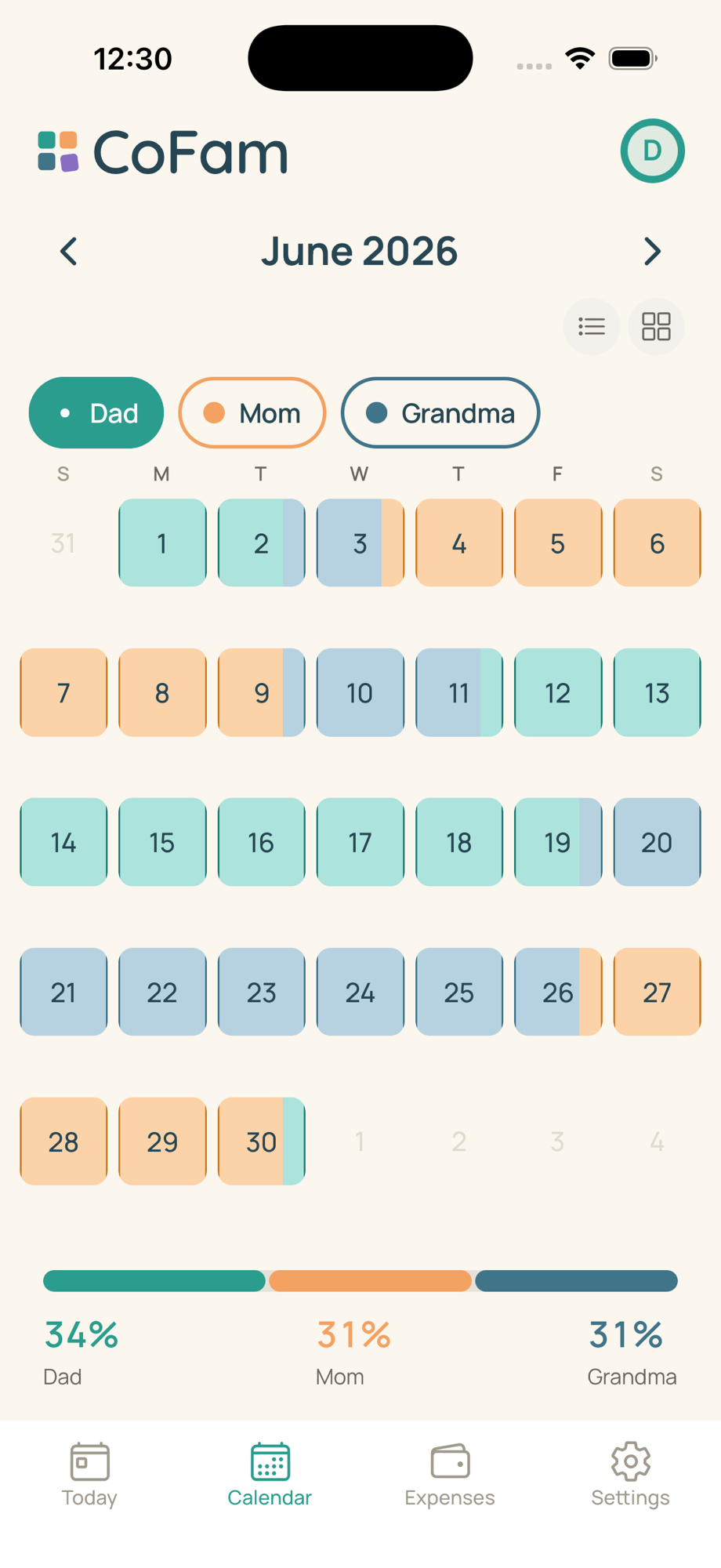
CoFam ships with a twelve-color identity palette tuned for eye-distinguishability and color-vision-deficiency awareness. The moment a new member joins, they pick a color, and that single choice drives the calendar fill, overnight bridges, handoff cards, expense attributions, and the time-share percentage bar. Change a person’s color and every surface updates instantly.

Verdigris Sand Slate Plum Ruby Lemon Chartreuse Emerald Cocoa Cobalt Graphite Blush

Three roles set what each person sees

Not every adult needs the same access. CoFam has three role tiers with explicit permission boundaries:

  • Co-parent. Full read/write. Edits the schedule, raises and approves expenses, votes on proposals, sees the full audit log when Court mode is on. Most families have exactly two co-parents.
  • Caregiver. Reads the schedule and, if the co-parents allow it, shared handoff notes. Used for grandparents, step-parents, nannies, regular sitters. Expenses and settings are not visible.
  • View-only. Sees pickup and dropoff windows only. Designed for the kids’ school, an activity coordinator, or anyone who needs to know when without needing to know anything else.

Either co-parent can lower a member’s role unilaterally. Promoting a view-only to co-parent requires both co-parents to agree, the same bilateral consent that governs any change that affects both households.

Invite codes, not email blasts

Adding any member generates an 8-character invite code with a 30-day expiry and rate-limited attempts, no email-and- password handshake, no “check your spam folder.” Text it, AirDrop it, hand it over in person. The recipient installs CoFam, taps Join family, types the code, and they’re on the calendar.

The inviter gets a push notification the moment the code is redeemed. New co-parents then walk through a ratification screen: they review the schedule that was set before they arrived, see the color assignments, and read the approval rules and expense-split categories already in place. They can flag anything they want to revisit before the calendar goes live for both households. Joining and ratifying takes under three minutes in practice.

Shared notes and private notes

Every member profile has two notes fields. Shared notes are visible to all co-parents, medications, allergies, school contacts, the pediatrician’s number. Private notes are yours alone: the operational detail one parent keeps for themselves without turning it into a family-wide conversation. Neither field is ever surfaced in Court mode exports.

Per-user nicknames

Each member can set a display name that only they see. You see your co-parent as “Sam.” Your kids see them as “Dad.” The school’s view-only feed labels them “Parent B.” CoFam resolves each viewer’s nickname preference locally, so nobody has to agree on a global label for anyone.

Join the waitlist

Up to 12 members. Co-parents always join free.

CoFam Calendar tab showing three members, Dad in Verdigris, Mom in Sand, Grandma in Slate, with proportional overnight color fills and a live time-share percentage bar

Three colors, one calendar, nobody overlapping.