Before a handoff
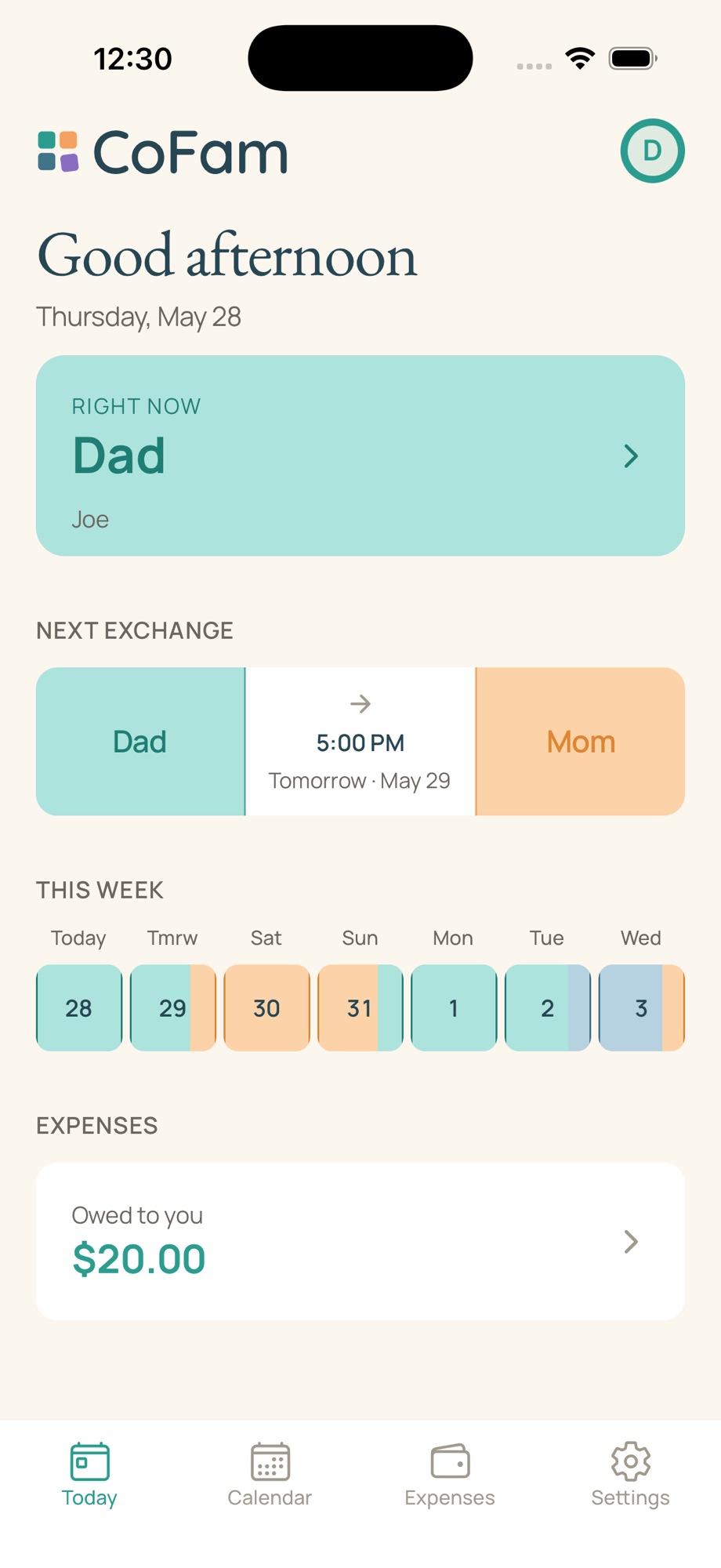
Check the time and the day’s schedule before arranging a pickup.
Keep the care schedule, shared expenses, and details for the kids together. Both homes can check the plan and see what happens next.
Join the waitlist for launch updates. What to expect at launch
The calendar
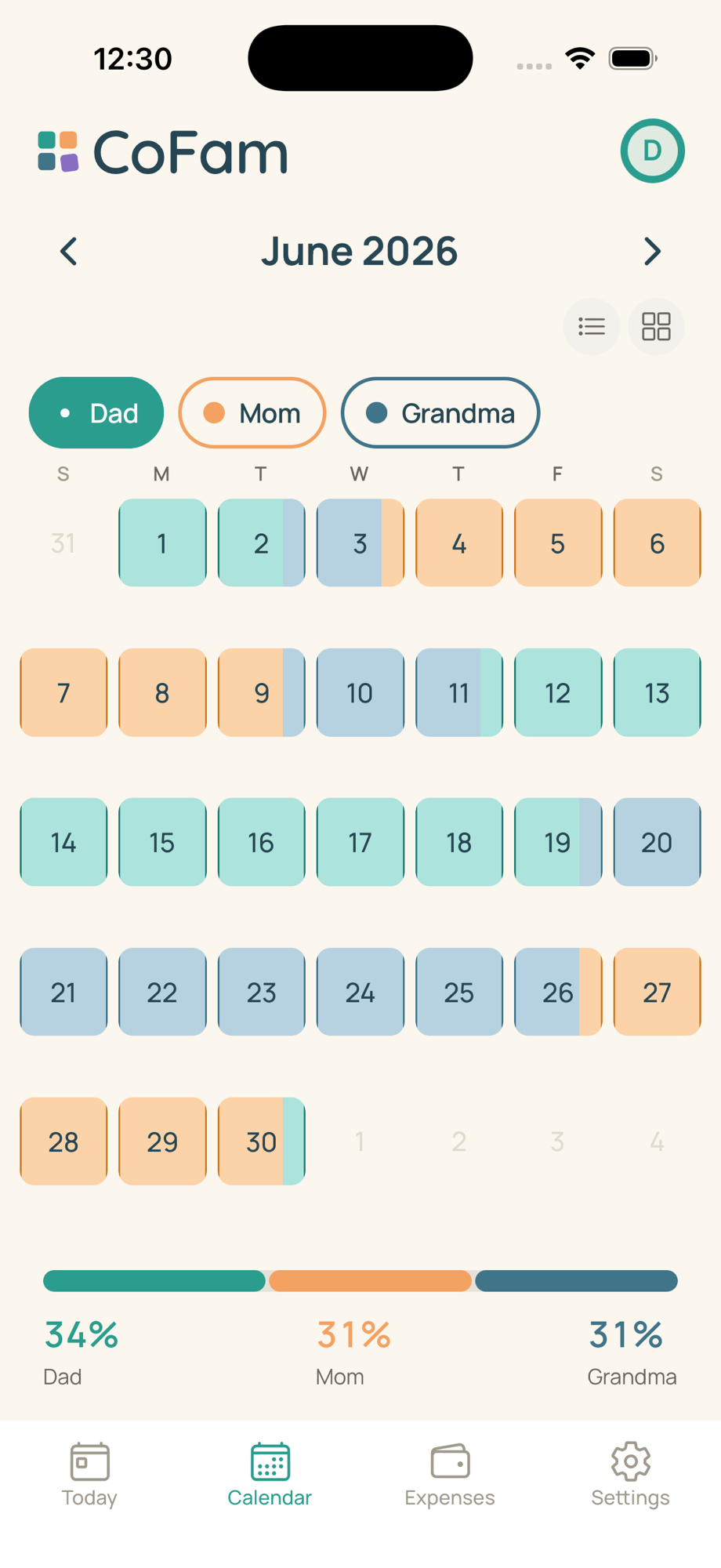
See care periods in each person’s color, then tap a date for handoff times and the day’s details. Open Today for a closer look at the next 24 hours.
Start with a repeating schedule, set your handoff times, and adjust it for holidays and changes. Premium approval rules let you decide which changes need a response from the other parent.
Include the people who help care for your kids. Basic includes two parents and two caregivers; Premium supports up to ten family members in total.
The expenses
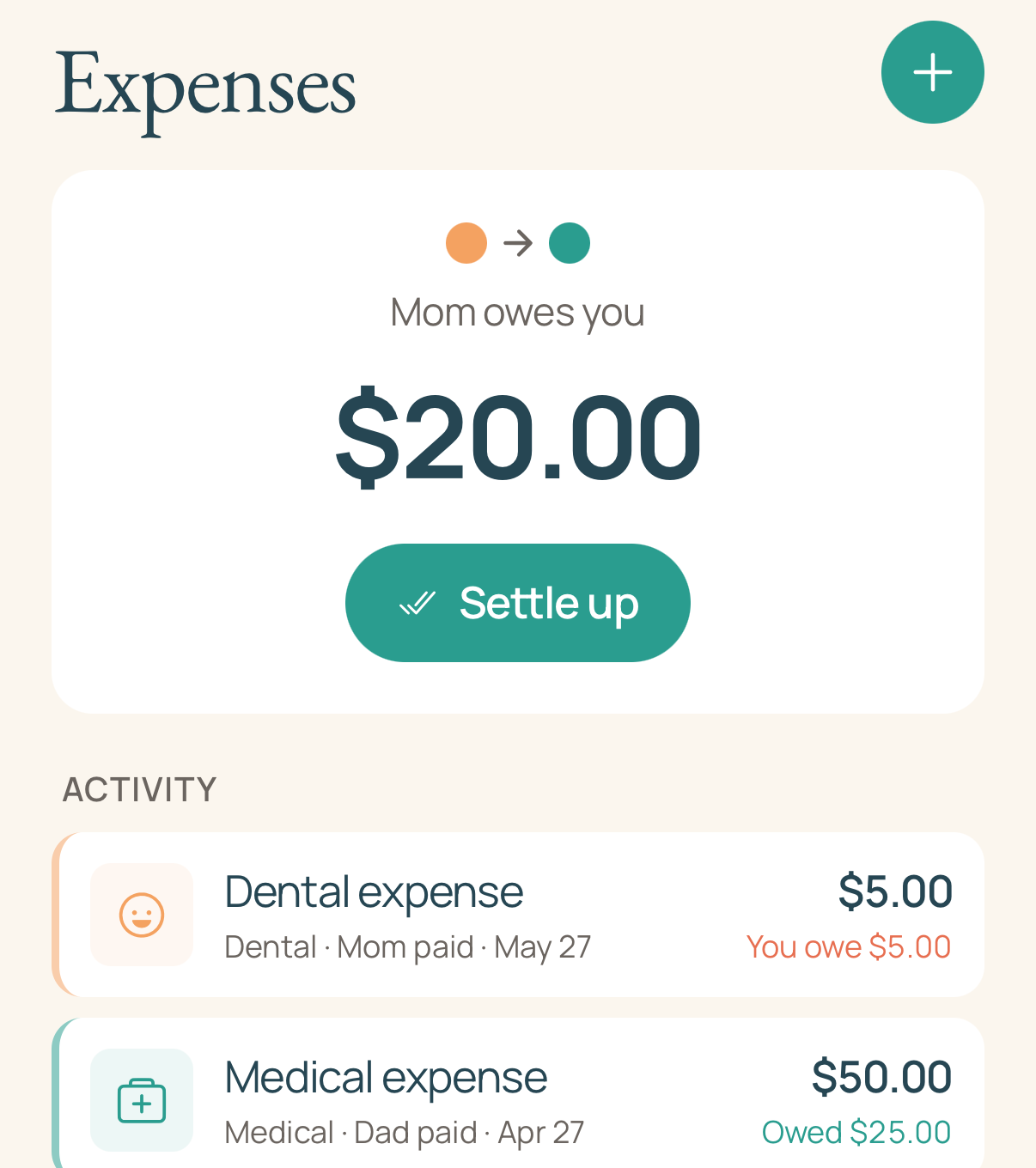
Add an expense, attach the receipt, and propose a split. Both parents can review what is owed and record repayments. CoFam keeps the record; payments happen outside the app.
See expenses, receipts, and the running balance together in the Expenses tab, with one shared record for both parents.
Premium expense rules can apply the split you use for medical costs, school, or another category. You can also choose the split for an individual expense.
One plan per family · 30-day no-card Premium trial for eligible families
One parent subscribes. The invited co-parent and other members use that family plan, within its member limits.
See pricing details →For everyday family plans
Check the time and the day’s schedule before arranging a pickup.
Keep the receipt with the amount and split you agreed to.
Records, on your terms
Review your family's schedule, expenses, and change history. Shared records are visible to family members according to their role. Premium lets you export PDF records when you need a copy.
How records work →